Ideas: semantic search that understands what shoppers mean
Bitlane's search widget can now suggest products by what a shopper means, not only by the words they type. Here's how ideas work, how to turn them on, and what they cost you.
November 20, 2026 · The Bitlane team
Search by words is fast and precise when shoppers know what a product is called. But many don't search that way. They type "something warm for winter", "a gift for him" or "my baby won't sleep", and a search that only matches words either finds nothing or finds the wrong things: the one product with "winter" in its name, every item that mentions "baby".
That's what semantic search fixes. It understands the meaning of a search and of your products, so "my baby won't sleep" can find a mattress, sleeping bags, a baby monitor and a crib, even though none of them contains those words. In Bitlane's widget, shoppers see these suggestions as ideas.
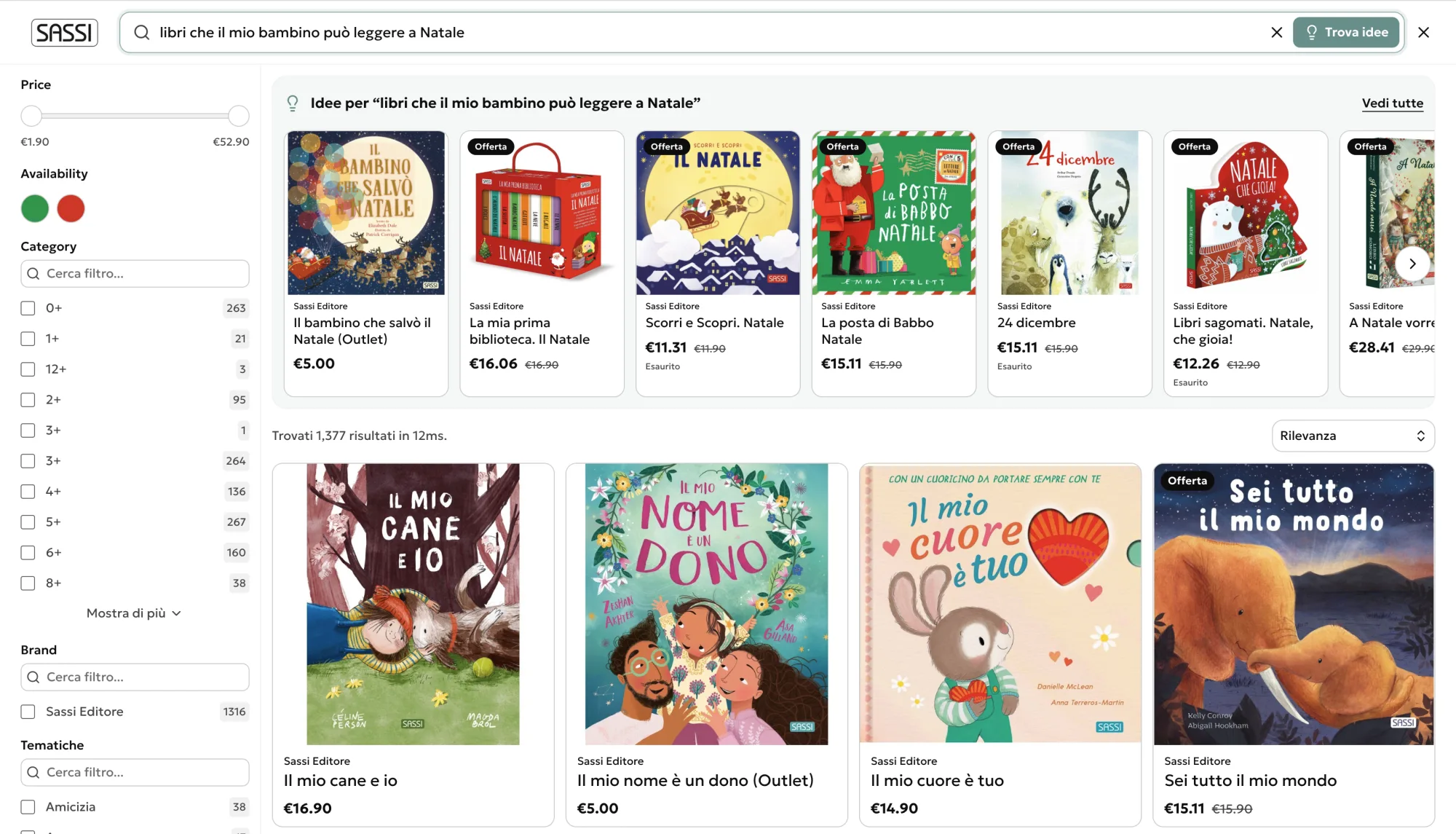
A shopper describes what they're looking for: the results still match words, and above them a row of ideas suggests products by meaning. See all opens every idea.
Results stay instant, ideas come next to them
Working out what a search means takes a moment, longer than shoppers want to wait between keystrokes. So we didn't make the whole search slower. Your results keep working exactly as before, by words, as shoppers type. Ideas are a second search beside them:
- On their own: once a shopper pauses on a search of three words or more (a description rather than a product name), a row of ideas appears where you placed it.
- On request: or you can choose a Get ideas button in the search box instead, so ideas appear only when shoppers ask for them.
- When words find nothing: either way, if a search finds no results by its words, ideas take the results' place, so the shopper never ends up on an empty page.
See all opens every idea at once, with category chips to narrow them down. Ideas leave out the products the results already show and keep one product per range, so they add what words couldn't find instead of repeating it.
In your shoppers' language
Ideas understand searches in many languages, not only English. The model behind them is multilingual and works best in widely used languages such as English, Italian, Spanish, French, German and Portuguese. With Bitlane's plugins each language of your store has its own index, so a shopper searching in Italian gets ideas from your Italian catalogue.
The widget's own words around ideas, like "Get ideas" and "See all", come in every language the widget speaks.
Turning ideas on
Ideas need two things, both set from the dashboard.
1. Semantic search on your indexes. Open Engines, pick your engine and go to its Settings tab, then switch on Semantic search for every index. Every index of the engine gets it, including indexes you make later.
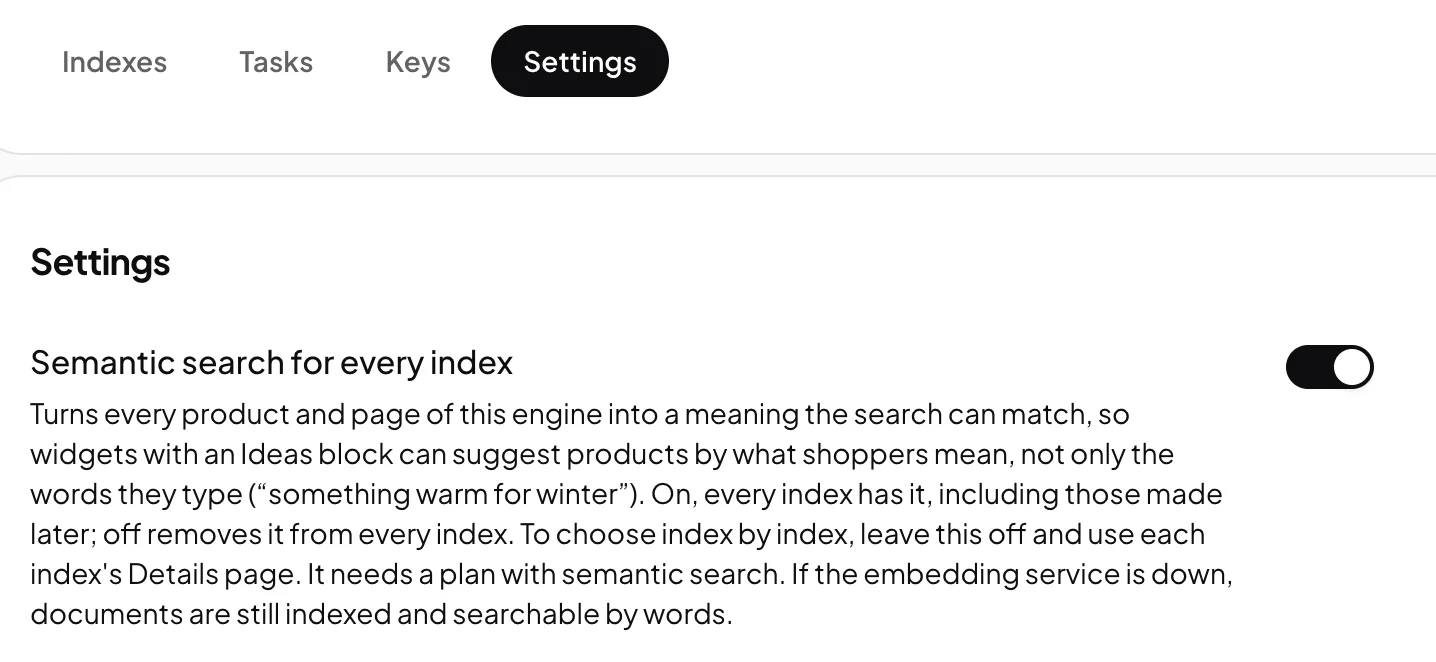
Engines → your engine → Settings → Semantic search for every index.
Prefer to choose index by index? Leave that switch off, open the engine's Indexes tab, pick an index and turn on Semantic search on its Details page.
Your products and pages are then prepared for search by meaning. Nothing changes for your store while this happens: products stay searchable by words, and if the service that prepares them is ever down, your sync carries on.
2. The Ideas block in your widget. Open Widgets, pick your widget and go to its Design page. Add the Ideas (semantic search) block where you want ideas to appear, choose whether they show on their own or with the Get ideas button, and how much weight meaning gets against words. Then preview it on your catalogue and publish.
Developers have the same control elsewhere: the index settings in the API and through Bitlane's MCP server for AI agents, and a widget can search with an embedder of your own instead of ours.
See whether ideas sell
The analytics now compare sessions that saw ideas with search sessions that didn't. Next to conversion with and without search, you see conversion with ideas, so you can tell whether they help your shoppers find what they buy. Clicks on ideas are counted like clicks on results.
Plans and your data
Semantic search is included in the plans that list it on the pricing page, with no extra charge per search: a search with ideas counts as a normal request.
To understand meaning, a short text of each product (its title, brand, categories and short description) and shoppers' searches for ideas are sent to an embedding model, which turns them into numbers the search can compare. That model runs in the United States, the one exception to Bitlane processing your content in the region you chose, and only for the indexes you turn semantic search on for. The providers don't train on these texts, and we never store the text of a search. Our legal pages explain exactly what is sent and how it's protected.
Try it
If your plan includes semantic search, turn it on for your engine, add the Ideas block to your widget and try a few searches the way your customers describe what they need. If it doesn't, the plans that include it start with a free trial too, so you can try ideas on your own catalogue first.
We'd love to hear what your shoppers find. Write to us at support@bitlane.co.